

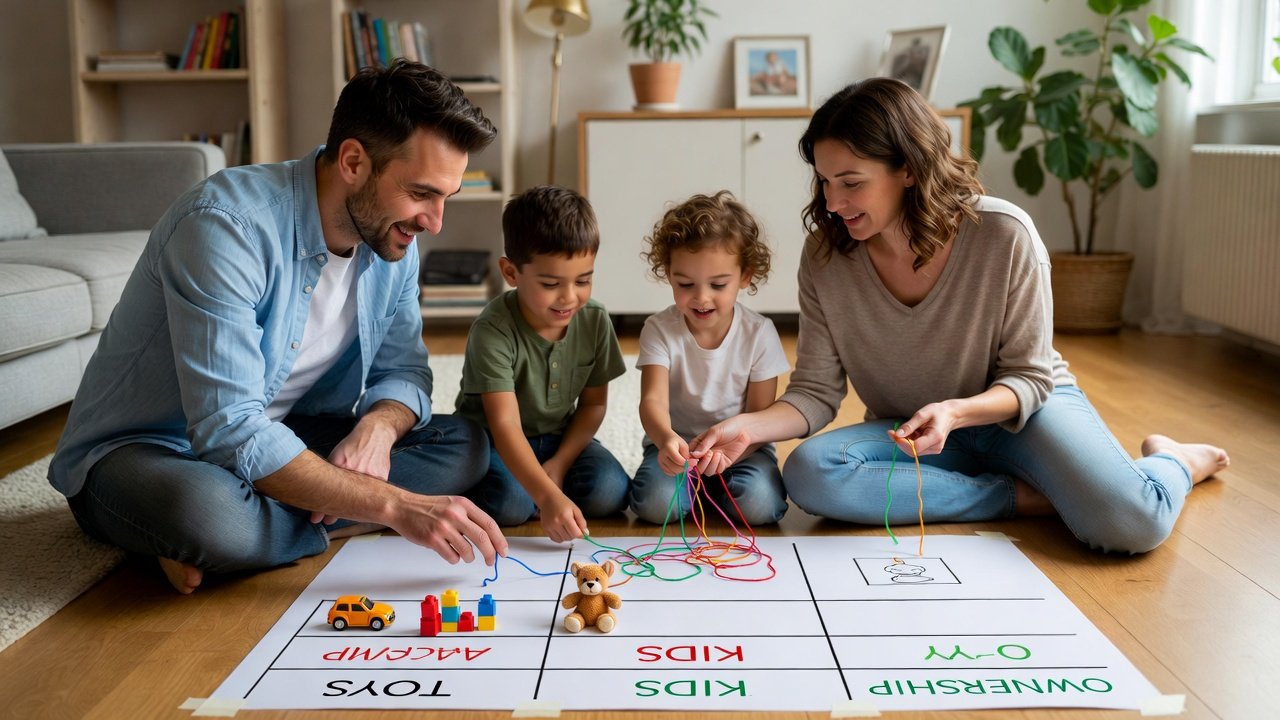
In today’s world, data is everywhere. Understanding how to organize and connect information isn’t just for programmers—it’s a fundamental form of modern literacy. Teaching your kids the basics of a relational database might sound daunting, but it’s actually a fantastic, hands-on way to develop their logical thinking, problem-solving skills, and attention to detail. Forget dry textbooks; we’re turning this into a fun, practical family project.
Why This is a Brilliant Skill for Kids (And Parents!)
Before we dive into “how,” let’s talk “why.” Learning database logic helps kids:
- Think Structurally: They learn to categorize and see relationships between things.
- Solve Problems Methodically: It breaks down big, messy information into manageable pieces.
- Gain a Foundational Tech Skill: This is the bedrock of everything from video games and apps to science and business.
- Move Beyond Passive Consumption: Instead of just using apps, they understand the logic behind how information is stored.
The best part? You don’t need to be a tech expert. We’ll use simple analogies and household items.
The Core Concept: It’s All About Organized Boxes and Connections
Explain a relational database as a super-organized collection of lists (called tables) that are connected.
The Perfect Analogy: LEGO Catalog or Toy Collection
Imagine your child’s massive LEGO collection or toy cars. The mess in the bin is like unorganized data. A relational database is the ultimate organizing system.
Step 1: Create “Tables” – Your Separate Lists
Grab index cards, a whiteboard, or large sheets of paper.
- Table 1: TOYS
- Columns: Toy ID, Toy Name, Color, Type.
- Rows (Data):
1, Lightning McQueen, Red, Car2, Blue's Clues Handy Dandy Notebook, Blue, Book3, Soccer Ball, White & Black, Sport
- Table 2: KIDS
- Columns: Kid ID, Name, Favorite Color.
- Rows:
101, Emma, Purple102, Liam, Blue
Step 2: The “Relational” Magic: Making Connections
Here’s the key. Instead of writing “Emma’s Toys” in the KIDS table and listing them all messily, we create a third, connecting table.
- Table 3: WHO OWNS WHAT
- Columns: Toy ID, Kid ID.
- Rows:
1, 101(Toy ID 1, Lightning McQueen, belongs to Kid ID 101, Emma)3, 101(Soccer Ball also belongs to Emma)2, 102(The Notebook belongs to Liam)
This link is the relationship. Now, if a toy gets passed down, you only change one entry in the WHO OWNS WHAT table. If you want to find all of Emma’s red toys, you “query” the data: Find Emma’s ID (101), find all Toy IDs linked to 101 (1 and 3), then look up those toys in the TOYS table and see which are Red.
Hands-On Activity: Build a Family Database
Choose a topic your kids care about and build it together.
Project Idea 1: The Family Library
- Books Table: Book ID, Title, Author, Genre.
- Family Members Table: Member ID, Name.
- Checkout Log Table: Book ID, Member ID, Date Borrowed, Date Returned.
- Question to “Query”: “Which books is Dad currently reading?” or “How many fantasy books do we have?”
Project Idea 2: Video Game Collection
- Games Table: Game ID, Title, Platform (Switch, PlayStation), Genre.
- Players Table: Player ID, Name, Skill Level (Beginner, Expert).
- Favorite Games Table: Game ID, Player ID, Rating (1-5 Stars).
- Question to “Query”: “Find all multiplayer games that both siblings love.”
Leveling Up: Introduce Simple “Queries”
Once your tables are built, play a question game. This is like being a data detective.
- The WHERE Command: “Can you find all the toys that are BLUE?” (You’re filtering the TOYS table WHERE Color = Blue).
- The JOIN Command: “Who owns the Soccer Ball?” (You must JOIN the TOYS table with the WHO OWNS WHAT table, and then with the KIDS table to get the name).
- The COUNT Command: “How many toys does each kid have?” (Count the links for each Kid ID in the WHO OWNS WHAT table).
Bringing it to Life with Free, Kid-Friendly Tools
When you’re ready for a screen:
- Start with Spreadsheets: Google Sheets or Excel are perfect. Each sheet is a “table.” Color-code rows and use simple filters (the WHERE command) to sort by color or type.
- Try Visual Database Tools: Sites like airtable.com or notion.so are fantastic next steps. They look like spreadsheets but let you easily create links between tables with dropdowns—making the “relationship” visual and clickable.
The Big-Picture Benefits
This isn’t just about creating little database administrators. You’re teaching a way of thinking. This structured approach helps with:
- Organizing school projects.
- Planning a birthday party (guest list, gift tracker, task assignments).
- Understanding how their favorite apps (like social media or games) likely work behind the scenes.
Conclusion: Building Minds, One Table at a Time
Teaching relational databases at home is less about the technology and more about unlocking a powerful way to see the world—as interconnected, organizable data. By turning it into a collaborative project around your family’s interests, you’re demystifying tech, spending quality time together, and equipping your kids with a logical framework that will serve them in any future career. Start simple, follow their curiosity, and watch them connect the dots.
Ready to query your household? Your first mission: categorize the snack cupboard!
FAQ: Teaching Kids Relational Databases
Q: What’s a good age to start?
A: The analog method with index cards works for kids as young as 7-8. The concepts of sorting and matching are key. Digital tools are better for ages 10+.
Q: I’m not technical. Can I still do this?
A: Absolutely! The analog method requires no tech knowledge. Learn alongside your child. The process of figuring it out together is the real lesson.
Q: What’s the simplest first project?
A: A “Favorite Movies” database. One table for Movies (Title, Genre, Year), one for Family Members, and a connecting table for who likes which movie.
Q: How does this help with school?
A: It directly reinforces math skills (sets, categories), logic, and systematic thinking used in science projects, book reports, and even organizing written essays.
Q: What’s the one key takeaway for kids?
A: “Don’t repeat information. Link to it.” If you have to write “Emma” twenty times, there’s a better way. Just link to her record once. This is the heart of relational thinking.